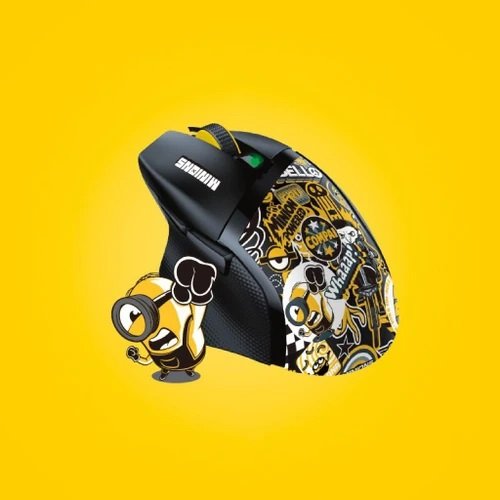

How Can You Find an Affordable Gaming Mouse With Great Features?
Finding a reliable gaming mouse used to mean spending a massive chunk of your savings. Modern technology has changed the market completely, allowing budget conscious players to secure top tier gear without breaking the bank. Today, manufacturers produce entry level hardware packed with high precision sensors, durable switches, and ergonomic builds that rival luxury alternatives.
The challenge lies in sorting through hundreds of budget choices to find true quality. Marketing hype often obscures what really matters for your gameplay. By understanding key technical specifications, evaluating build quality, and matching hardware design to your playstyle, you can locate an affordable gaming mouse that delivers an exceptional competitive edge.
1. Prioritize Core Performance Over Flashy Marketing
When shopping on a budget, it is easy to get distracted by flashy features like extreme lighting zones or massive advertised DPI numbers. To secure the best value, you must focus on the core components that directly impact your accuracy and in-game control.
Sensor Accuracy and Tracking
The heart of any gaming mouse is its optical sensor. High sensitivity ratings reaching 20,000 DPI make for great product listings, but most competitive gamers play at settings between 400 and 1600 DPI. Instead of chasing extreme sensitivity, pay attention to tracking accuracy and sensor stability.
Look for models featuring proven optical sensors, such as entry level variants from PixArt or proprietary lines like the Logitech HERO series. A quality budget sensor ensures true 1:1 tracking without unwanted acceleration, smoothing, or jitter, keeping your crosshair locked exactly where you intend.
Polling Rate and Response Times
Polling rate measures how frequently your peripheral reports its position to your computer. Standard office models refresh at 125Hz, whereas a dedicated gaming mouse operates at 1000Hz, updating your pointer position every single millisecond.
This lower input latency produces immediate, fluid crosshair adjustments on high refresh rate monitors. Always verify that any budget option you consider supports a native 1000Hz polling rate out of the box.
Durability of Main Switches
Affordable gear often fails at the primary buttons first. Quality brands equip their entry models with mechanical microswitches rated for tens of millions of clicks.
-
Mechanical Switches: Offer tactile, crisp feedback with reliable ratings around 20 to 50 million clicks.
-
Optical Switches: Eliminate double clicking issues entirely by using light beams to register inputs, though usually found at slightly higher price points.
Checking switch ratings ensures your gear survives years of intense daily sessions.
2. Evaluate Ergonomics, Shape, and Grip Style
Even the most advanced internal components will feel useless if your hand cramps up after an hour of play. Physical comfort remains the single most important factor when choosing a gaming mouse.
+-------------------------------------------------------------------+
|                     GRIP STYLE COMPARISON                         |
+------------------+-----------------------+------------------------+
| Grip Type        | Hand Contact          | Primary Advantage      |
+------------------+-----------------------+------------------------+
| Palm Grip        | Full palm resting     | Maximum comfort        |
| Claw Grip        | Arching fingers       | Balanced speed & control|
| Fingertip Grip   | Minimal touch points  | Rapid adjustments      |
+------------------+-----------------------+------------------------+
Matching Hardware Shape to Your Grip
Everyone holds their peripherals differently, making shape selection critical:
-
Palm Grip: Prefers larger, asymmetrical shells with deep thumb contours that support the full hand.
-
Claw Grip: Benefits from medium sized frames featuring a pronounced rear hump for palm stability.
-
Fingertip Grip: Performs best with low profile, compact, and lightweight designs that grant swift wrist adjustments.
Weight Considerations
Heavy weights can cause hand fatigue during extended sessions. Recent industry developments mean lightweight designs under 80 grams are now widely available in the budget category. Lighter shells lessen wrist strain, allow faster reaction movements in shooter titles, and make tracking quick targets far easier.
3. Balance Connectivity, Software, and Build Quality
Budget manufacturers make trade offs to keep prices down, so understanding where compromise is acceptable will guide you to a superior purchase.
                        BUDGET DECISION TREE

                  Choose Connectivity Priority
                               |
       +-----------------------+-----------------------+
       |                                               |
  [ WIRED ]                                      [ WIRELESS ]
  • Maximum savings                              • Cable-free freedom
  • Lower weight                                 • Requires batteries/charging
  • Zero signal latency                          • Small cost premium
Wired vs Wireless Options
Deciding between a wired or wireless connection determines how far your dollar stretches:
-
Wired Connections: Deliver maximum hardware value per dollar. You receive better sensors and lower overall weight without worrying about battery charging or signal interference.
-
Wireless Connections: High performance 2.4GHz dongles now appear on budget models. While convenient, budget wireless designs often use AA batteries, which adds slight weight and ongoing maintenance costs.
Onboard Memory and Software Support
Customization elevates a standard input device into a specialized instrument. A quality budget gaming mouse includes companion software to rebind side buttons, set custom DPI steps, and tweak illumination.
Look for devices with onboard memory storage. Onboard memory lets you save custom settings directly to the hardware, allowing you to close background software or plug into different PCs without losing your personal configurations.
4. Smart Shopping Strategies for Maximum Savings
Finding a feature rich gaming mouse within a limited budget requires a calculated approach to shopping. Using smart buyer tactics helps you land premium peripherals at entry level prices.
Target Previous Generation Flagships
When major brands release updated flagship products, older top tier models drop significantly in price. These previous generation devices frequently outperform current budget offerings because they feature high end materials, superior sensors, and premium switches originally designed for professional players.
Inspect Refurbished and Open Box Deals
Official factory refurbished items provide an exceptional avenue for savings. Major hardware producers inspect, test, and recertify returned units, selling them at heavy discounts alongside standard manufacturer warranties.
Avoid Common Budget Traps
Stay cautious of unbranded knockoffs boasting excessive specifications on discount sites. Unknown brands often use inferior sensors with severe tracking flaws, fragile plastic casings, and unstable software drivers. Stick to reputable brands that maintain consistent quality control, reliable customer support, and regular driver updates.
Upgrade Your Setup Today
You do not need to spend hundreds of dollars to secure competitive peripherals. By prioritizing sensor accuracy, selecting an ergonomic shape tailored to your grip, and focusing on proven switch durability, you can discover an incredible gaming mouse that fits your exact setup needs.
Take time to review your current grip style, set your performance priorities, and check out top rated budget models today. Upgrading your control, precision, and comfort has never been more affordable.
Which specific games are you planning to play with your new setup? Let me know, and I can recommend the ideal button layout and sensor specs for your favorite genre!